


Ever stared at your screen, needing a beautiful poster for your jualan right now, but you don’t have the budget for a designer? You’re not alone. In practice, customers often judge a business by its visuals, and an unprofessional design can, unfortunately, lead to lost trust and fewer sales. That feeling of being stuck, knowing you need something better but not knowing where to start, is a common frustration for many Malaysian entrepreneurs. Find the best Canva course Malaysia.
The secret of those professional-looking local brands isn’t always a big design team. More often than not, it’s knowing how to use Canva the right way. This powerful, user-friendly tool is perfect for Canva for beginners, making it possible to create stunning marketing materials that look polished and credible. It’s the accessible solution that puts the power of good design directly into your hands, no experience needed.
But simply opening the app isn’t enough to guarantee great results. Instead of getting lost in random tutorials, a structured Canva course Malaysia provides a clear, step-by-step journey from beginner to confident creator. This is your practical graphic design course Kuala Lumpur for non-designers, built to give you the exact skills you need to build trust, attract customers, and make your brand shine.
Your First Design in 5 Minutes: A Simple Step-by-Step Guide
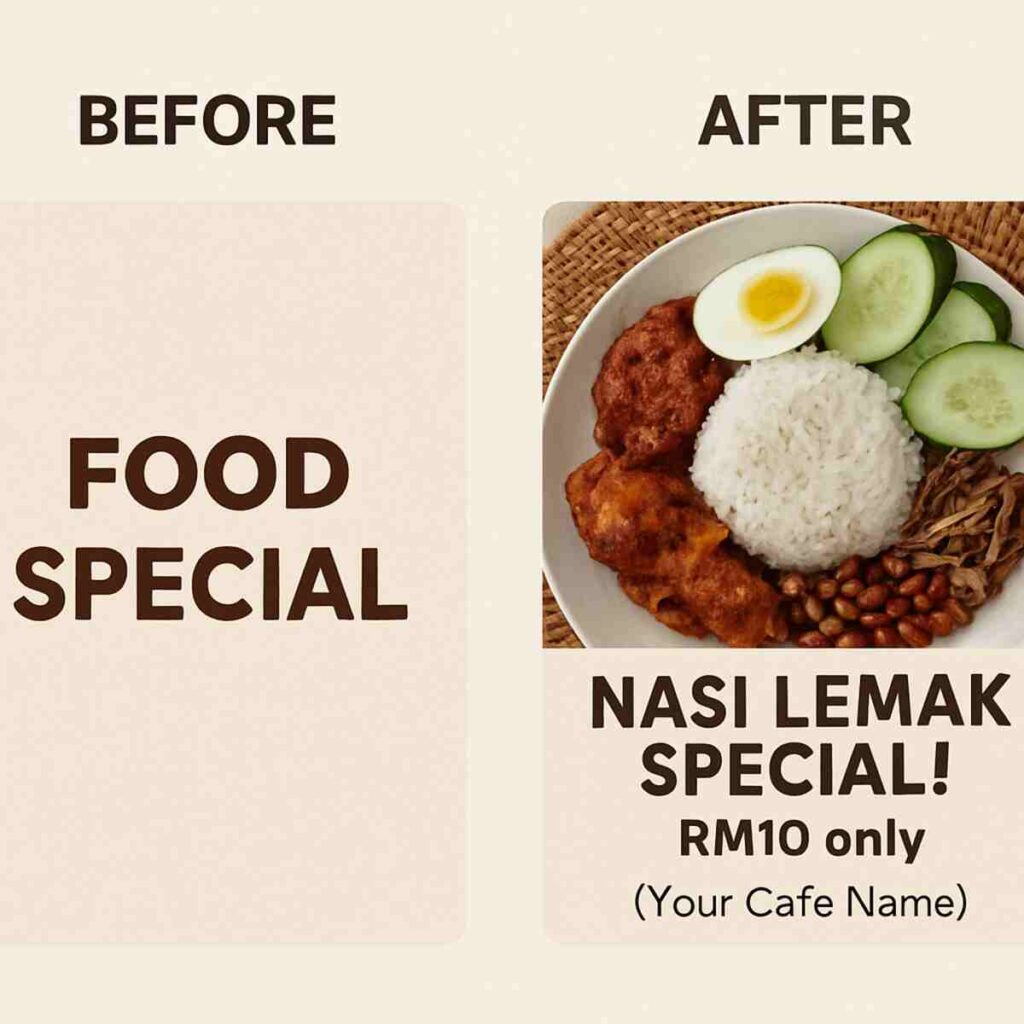
Imagine you need a beautiful post for your cafe’s new promotion, and you need it ready in the next 10 minutes. Instead of staring at a blank screen, you can use a professional Canva template as your starting point. Think of it as a “colouring book” for design—the lines are already drawn, you just need to fill in your own words and pictures.
Ready to see how fast it is? This simple step-by-step Canva guide for beginners will have you designing in no time. Let’s create a social media post for a Nasi Lemak special.
- On the Canva homepage, search for “Food Promotion Instagram Post” and click on a design you like.
- Once it opens, double-click the main text to type your own message, like “Nasi Lemak Special! RM10 only.”
- Have your own photo? Click the ‘Uploads’ tab on the left, add your picture, and simply drag it on top of the template’s image. It will snap perfectly into place!
- To change any colours, just click on an element (like a background or shape) and a colour box will appear at the top-left corner.
- Finally, click the ‘Share’ button in the top-right, then ‘Download’ to save your finished design.
The real magic is how Canva handles photos. You don’t need to resize or crop anything. Just dragging your picture over the existing one automatically replaces it, fitting it perfectly into the frame. This is the secret to how you can learn Canva fast for business and create great-looking posts consistently.
Just like that, you’ve created a professional-looking design ready to attract customers! You now know the core workflow that saves creators hours every week. This is a fantastic start, but you might be wondering if you can just learn everything else from free online videos.
“But I Can Just Watch YouTube, Right?” The Hidden Costs of ‘Free’ Learning
It’s a fair question. With thousands of free videos online, why would anyone pay for a course? The reality is that learning from random tutorials is like trying to build furniture with a pile of screws from different sets—you have the parts, but no clear instructions. You might spend hours jumping from a video on text effects to another on colour palettes, only to end up with a design that still feels messy and unprofessional. This “free” learning often comes at the hidden cost of your valuable time and energy.
Furthermore, most popular tutorials are made for a global audience. They’ll teach you how to design a “Thanksgiving Sale” poster, but what about a visually stunning graphic for a “Promosi Merdeka” or a properly sized banner for your Shopee store? This is where the real frustration begins, as generic advice often doesn’t fit the specific needs of a Malaysian business or student. Wondering is a Canva workshop worth it? The answer lies in getting relevant, local knowledge that you can use immediately.
A structured canva online course is designed to be a roadmap, not a random collection of tips. It takes you from the basics to more advanced skills in a logical order, ensuring you build a solid foundation at each step. Instead of just showing you what buttons to click, the best Canva class for beginners Malaysia teaches you why certain choices work better than others, so you can create beautiful designs confidently every single time. It’s about learning the simple secrets to good design, without getting lost in boring theory.
How a Real Course Teaches the ‘Secrets’ of Good Design (Without the Boring Theory)
So, what are these ‘secrets’ that separate a professional design from an amateur one? It’s not about memorising complex rules from a textbook. Instead, a proper Canva design course teaches you a few simple, powerful guidelines that make an immediate difference. These are the small choices that guide your customer’s eye and make your message feel clear, trustworthy, and impactful.
Think about fonts, for instance. Have you ever felt overwhelmed by the endless list in Canva? A simple trick is the “Rule of Two Fonts.” You just need one bold, attention-grabbing font for your main headline (like for a “Jualan Hebat!”) and a second, clean font for the rest of your text. This simple discipline is the first step to master Canva design principles, and it instantly makes your design look organised and far more professional.
Colour is another area where many people get stuck. A key lesson is the “High-Contrast Trick,” which simply means making sure your text colour stands out clearly from your background. This is crucial for anyone reading your social media post on a small phone screen. A design that’s hard to read, like light yellow text on a white background, looks unprofessional and gets ignored, no matter how clever the message is.
Finally, the most overlooked secret is giving your design “breathing room.” Jamming too many images and words together creates a feeling of chaos and makes your message hard to follow. A great graphic design course Kuala Lumpur for non-designers teaches you how to use space to make your layout feel calm and confident. Once you know these foundational rules, you can apply them quickly, which brings us to the next big win: saving massive amounts of time.
3 Time-Saving Canva Features That Malaysian Businesses Swear By
Knowing the fundamentals of good design is one thing, but applying them at lightning speed is what separates the pros from the amateurs. When you’re running a business or facing a deadline, you don’t have hours to spare. This is where mastering a few key Canva tools can completely change your workflow.
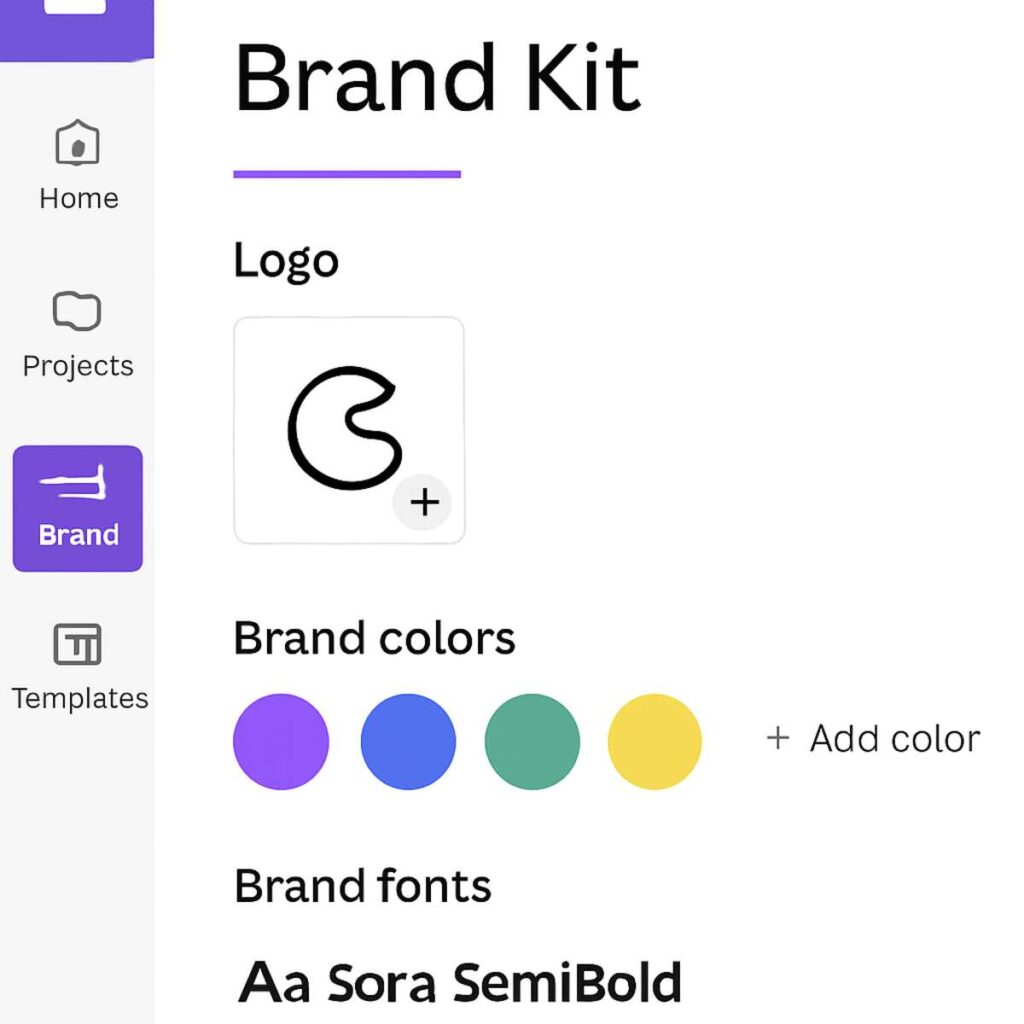
First, imagine having a “magic folder” for your brand. That’s the Brand Kit. Instead of hunting for your logo file or trying to remember the exact code for your brand’s shade of blue, you store it all in one place. With a single click, your logo, brand colours, and fonts are applied to any template, ensuring every design you produce looks instantly professional and consistent.
Another game-changer is the Background Remover. Let’s say you snap a quick photo of your product for a Shopee listing, but the background is your messy office. In seconds, Canva can remove that background, giving you a clean, studio-quality image ready to be placed on any design. Combine this with Magic Resize—a tool that reformats one design for multiple platforms (like an Instagram post, a Facebook story, and an email header) automatically. This powerful duo is a core reason people seek a Canva Pro features workshop online; it’s the secret to how you can learn to create marketing materials with Canva in minutes, not hours.
This level of efficiency is so valuable that teams across the country are enrolling in corporate Canva training in Selangor and beyond to get a competitive edge. Mastering these tools doesn’t just make you faster; it makes you an incredible asset. The productivity boost is so clear, which leads to a common question: what if you didn”t have to pay for this training yourself?
Can Your Company Pay for Your Course? Your Guide to HRDF Claimable Training
Many Malaysian companies contribute to a national upskilling fund called the Human Resources Development Corporation, or HRD Corp (you may know it by its old name, HRDF). Think of it as a dedicated budget set aside by your employer specifically for professional development. Companies across the country tap into this to arrange corporate Canva training in Selangor and beyond, empowering their teams without impacting operational budgets.
Your first step is to find a provider that offers HRDF claimable Canva training. Once you’ve found one, the key is to approach your manager not with a request, but with a business proposal. Instead of saying, “I want to take a course,” explain the return on investment: “If I master these skills, I can create our social media content and internal announcements in-house. This will save us significant time and money on freelance designer fees.” Framing it this way makes the Canva certification course Malaysia price an investment in efficiency, not an expense.
After getting your manager’s approval, the process is usually straightforward. You’ll simply follow your HR department’s procedures for submitting a training claim. This pathway makes gaining a valuable, career-boosting skill completely accessible. With the financial aspect potentially covered, your next decision is about the learning format that works best for your schedule.
Online vs. In-Person: Which Canva Class Is Right for You in Malaysia?
The choice between a flexible Canva online course and a hands-on physical class comes down to one thing: how you personally learn most effectively. One offers complete freedom to fit learning into your life, while the other provides the structure of a dedicated, in-person session.
The beauty of an online course is its convenience. If you’re juggling a business, studies, or family commitments, you can learn from anywhere at any time—without battling rush hour traffic. This format allows you to work at your own speed, pausing and replaying a tricky step until it clicks. It’s the perfect solution for self-starters who need to fit their upskilling around an already packed life.
On the other hand, many find a Canva workshop worth it for the immediate, personal feedback. In a physical classroom, like a graphic design course in Kuala Lumpur, an instructor can look over your shoulder and guide you on the spot. This direct interaction is invaluable if you learn best by asking questions and thrive in a focused, collaborative environment. Knowing which of these styles suits you is the key to making a decision you won’t regret.
Your Checklist: How to Choose the BEST Canva Course (and Avoid Scams)
With so many options popping up online, picking the right Canva course in Malaysia can feel overwhelming. How do you know which one will actually deliver results and isn’t just a repackaging of free YouTube videos? It’s crucial to look beyond flashy ads and evaluate what you’re truly getting for your money.
To cut through the noise, here is a simple checklist to help you find the best Canva class for beginners in Malaysia. Before you enrol, ask these five questions to ensure the training is worth your time and investment.
- 1. Is the Content Local? Look for examples that are relevant to you. Does the course teach you how to make a poster for a Hari Raya promotion or a flyer for a local community event, not just generic “Summer Sale” graphics?
- 2. Who is the Instructor? Is the trainer an actual practitioner who uses Canva for their business in Malaysia? Real-world experience is more valuable than theory alone.
- 3. Can You See Student Work? Reputable courses proudly display designs made by past students. If you can’t find any testimonials or examples, consider it a red flag.
- 4. What Support is Offered? Learning can be tough. Is there a community group (like on WhatsApp or Facebook) where you can ask questions if you get stuck?
- 5. Is the Pricing Transparent? The Canva certification course Malaysia price should be clear, with no hidden fees. A huge bonus is if the course is HRDF claimable, as your company may be able to cover the cost.
Using this checklist helps you move beyond the marketing and focus on what truly matters: a course that understands your needs. Choosing a provider that offers local context and practical support is the single biggest factor in turning your new skills into professional-looking designs you can be proud of.
From “I Can’t Design” to “I Made This”: Your Creative Journey Starts Now
The gap between a great idea and a great-looking design no longer needs to feel impossibly wide. You now see that creating professional visuals isn’t a secret talent reserved for a few, but a skill built on knowing how to use the right tools. That initial feeling of being stuck is the first thing that changes when you properly learn Canva for beginners, turning hesitation into capability.
Imagine it’s the week before a big sale or festival. Instead of panicking over a poster, you confidently spend 30 minutes and produce a beautiful promotion that gets results. This is the calm and control that comes when you learn to create marketing materials with Canva—transforming last-minute stress into a powerful asset for your business or project.
This is more than just a software skill; it’s about taking ownership of your voice and vision. You are no longer just an administrator of templates but a creator in your own right. When you’re ready to stop guessing and start designing with purpose, the path forward is clear. The first step to unlock your creativity is simply choosing the right guide for your journey.